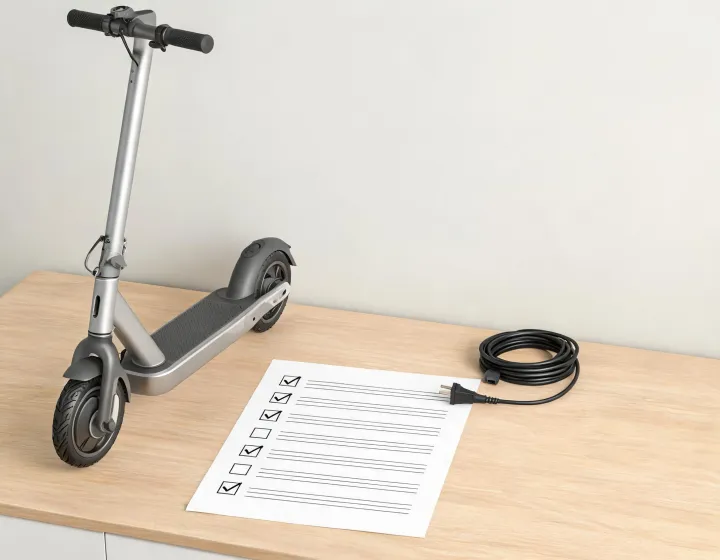
On a Ninebot KickScooter F2 series scooter, activation after assembly is a three-second charge before the first ride, not a button sequence on the handlebar. Powering on shows the scooter has power; it does not by itself prove the battery activation step is complete, which is the step the manual actually asks for.
The exception to catch before rolling away is a unit that keeps beeping once switched on and will not go past 15 km/h (9.3 mph). The manual uses those two symptoms to describe an inactivated KickScooter, so the scooter is reporting its own state rather than showing a fault.
Why an Unactivated F2 Beeps and Caps at 15 km/h
An inactivated KickScooter keeps beeping when turned on, and its speed is limited to 15 km/h (9.3 mph). Neither behavior is a defect report. The beep reads as a state announcement repeated while the activation condition is unmet, and the speed cap is a limit applied by the scooter rather than a mechanical bind you would feel in the drivetrain.
Because the manual defines the inactivated state by those two symptoms together, a scooter that powers on cleanly and rolls is not evidence of successful activation; which means the useful test after assembly is not whether it switches on but whether it goes quiet and releases the cap. Assembly problems can show themselves in other ways, so treating the beep as an assembly failure sends you looking in the wrong place.
Two numbers keep the states apart. The cap sits at 15 km/h (9.3 mph), while motor engagement begins at 3 km/h (1.9 mph). A scooter that will not engage at walking pace has an interlock question in front of it; a scooter that engages and then plateaus at 15 km/h has an activation question. Same machine, different symptom, different place to look.
Activation Order From Box to First Ride
The documented order runs like this. Charge three seconds to activate the battery. Download the app by QR code and register or log in. Power on and listen for the beep. Clear Parking mode. Push off and bring the scooter past 3 km/h so the motor takes over. Then check the lights and cycle the speed modes. Jumping straight to the last step is the standard mistake, and it is standard because a scooter that lights up looks finished.
The reason the sequence starts with the charger rather than the phone is electrical: the activation charge has to wake the battery electronics before the controller can treat the pack as ready, so every later step inherits the outcome of the first one. Do the app step first on a sleeping pack and you are registering an account against a vehicle that has not introduced itself yet.
Two of these are checkpoints rather than tasks. The activation charge and the power-on listen tell you the vehicle has left the shipping state; the app registration and the start-speed question tell you it is configured the way you intend to ride it. A unit can clear the first pair and fail the second, which is why working and being set up are separate verdicts at intake.
Charge Three Seconds Before the First Use
Three seconds is not a charge. It is a wake-up interval, and the number is short because the job is only to move the battery electronics out of a shipping or low-power sleep state so the pack can report itself to the controller. That is a handshake, not an energy transfer, which is why the manual can specify seconds where you would expect minutes, and why the three-second connection says nothing yet about usable range or about how long a full charge will take on your pack and charger.
The confirmation is deliberately narrow. Plug in, count to three, unplug, power on, listen. A woken F2 goes quiet and runs past the 15 km/h cap; an unwoken one keeps beeping and holds the ceiling. Silence is the pass.
Register in the App Before You Ride
Scan the QR code to download the Segway-Ninebot app, then register or log in. This is not an optional loyalty step: the user materials state that additional and supplemental warnings and instructions for using the product live in the app and form part of what a rider is expected to know. Registration is therefore a documentation step, not just an account formality.
One setting is model-code-bound and easy to misapply. Start speed, adjustable from 0 to 3.1 mph (0–5 km/h), is settable in the app only on 051201A, 051202A, 051203A, 051201U, 051202U and 051203U. If your unit carries a different code, that control is not part of its documented configuration. Check the model code on your unit before you hunt through menus for a setting your build may never have shipped with.
Exit Parking Mode and Engage the Motor
Parking mode (P) has to be cleared before the scooter will ride at all. The manual gives two exits: squeeze the brake lever once, or accelerate past 1.86 mph (3 km/h). At a standstill in a driveway or warehouse aisle, the brake-lever exit is the deliberate one.
The motor engagement rule uses the same threshold: the motor will not engage until the scooter reaches 3 km/h (1.9 mph). That is written as a safety interlock rather than a performance limit. Because the drive is held off below that speed, a throttle-only start from a dead stop is not the documented method; which means the start comes down to a foot push-off, one foot on the footboard and the other pushing, or the brake-lever exit followed by momentum carrying you to the threshold. After that the throttle has authority.
Confirm Power, Lights, and Speed Modes
With the scooter on, one press of the button switches the headlight and the rear light on or off, and a double press cycles the speed modes. Run this check after the activation charge and the app step, not instead of them, so you are testing activation rather than re-testing the power switch.
Because the button only governs lights and modes while the scooter is already on, a lit headlight confirms the power state and nothing further. You can have bright lights, a registered account and a fully assembled stem and still be riding an inactivated unit. The lighting answers whether the scooter is on; the silence after power-on answers whether it is activated.
What Activation Does Not Guarantee
The three-second charge settles one question, whether the pack has been woken, and leaves the rest of the vehicle untouched. The same user materials push supplemental warnings into the app, and the same symptom pair still defines an inactivated unit. Activation is a state check, not a performance guarantee, and it says nothing about brake condition, tire wear or the limits printed for your exact model.
Suppose a fleet operator takes delivery of a dozen F2-series units and wants a fast intake routine. Treat the beep plus the 15 km/h cap as a triage signal: any unit still showing either symptom has not completed the activation step, whatever the delivery paperwork claims, and goes back through the three-second charge and the app registration before anyone signs for it. That is an operational habit rather than a manufacturer requirement, and on a used unit it will not substitute for checking the battery, brakes or tires.
The doubt that often remains is 'I charged it, so why is it still beeping or capped?' A long range charge and the manual's three-second activation charge are different operations. If the beep and cap persist, re-run the documented activation step, then confirm the app registration and the model code before you use any app setting. Until the beep stops and the 15 km/h cap releases, the assembly is not finished.

Leave a comment
Do not include confidential procurement data in a public comment. Use the inquiry form for sourcing requirements.