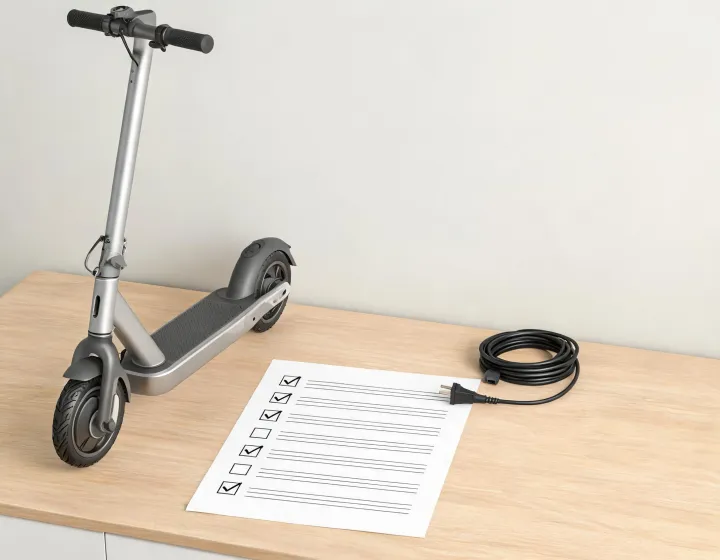
Six forty in the morning, a rack of nine F2-series scooters, and a fleet technician with a phone in one hand and her thumb resting on the left handlebar switch. She enabled CodeLock in the Segway-Ninebot app two minutes ago. Now she is doing the part most handovers skip: waking the dashboard and entering the code at the bar, digit by digit, to find out whether the scooter actually takes it.
That order is the whole job. CodeLock is switched on through the app over Bluetooth, and the handlebar entry is what proves the setting held. Do only the first half and you are signing off on a phone screen. One boundary up front: this walkthrough covers the Ninebot KickScooter F2 series as its user instructions describe it, and the controls on a different scooter can be laid out another way, so match the sequence to the vehicle in front of you.
Set Up the App Before Touching the Dashboard
Start with the QR code. Scanning it pulls down the Segway-Ninebot app, and from there you register or log in before the scooter will talk to the phone. The scooter connects over Bluetooth, and once that link is live, CodeLock can be switched on in the app. The reason the app comes first is structural rather than a matter of preference: the instructions treat CodeLock as an app-side function that is enabled when the scooter is connected, which means the handlebar routine sits downstream of a working phone link. A tech who walks out to the rack without opening the app has nothing to enter a code into.
There is a second reason not to treat the app as an optional extra. Supplemental warnings and instructions for using the product also live in the Segway-Ninebot app, and those notices are part of the user materials a rider or owner is expected to know and learn. If your handover stops at the app being installed, the warnings attached to it never reach the person who rides the scooter. That is a real hole in a fleet handover, and it is cheap to close: whoever sets up the account reads the app notices in the same sitting, before the scooter leaves the rack.
What you can verify at this stage is narrow: the app is installed, the account is logged in, the scooter is paired over Bluetooth, and CodeLock reads as enabled. The scooter itself has not answered yet.
Enter Each Digit With the Handlebar Controls
With the passcode set, press the power button to wake the dashboard, then work the direction indicator switch. Each press of > pushes the digit up by one, each press of < pulls it down by one. Confirm with the brake lever: one squeeze per digit entered, and a beep sounds on each confirmation. Tap the arrow, squeeze the brake, listen for the beep. That is the physical rhythm of the entire entry, and it repeats for every digit in the code.
Two controls, two jobs, and they do not swap. Press the arrow expecting a confirmation, or squeeze the brake expecting the digit to move, and nothing behaves as described, because the confirm loop is tied to the brake input specifically. That matters most when someone is learning the scooter cold: hands pick up a rhythm faster than they pick up a paragraph, and a wrong mapping has to be unlearned later.
Because confirmation is one brake squeeze per digit, the code goes in as a series of single-digit confirmations rather than as one string typed and submitted at the end. Which means the rider should expect one beep for each confirmed digit, not one beep for the finished code. That per-digit beep is the running feedback the sequence does describe, so count as you go instead of waiting for a final tone the instructions never mention.
One training detail worth flagging: the number does not jump. It climbs or drops one step per press, so a high digit takes several presses of the same switch. The documented sequence describes discrete presses and nothing else, so teach it as discrete presses and go back to the manual bundled with that scooter if a unit behaves differently.
Confirm the Code Works Before You Hand Over the Scooter
Here is the check that decides whether the job is done: a full entry at the bar, with a beep for every digit, done while the person who will ride the scooter is standing there.
The reason a handlebar rehearsal is the right check comes down to what each step actually proves. An app status screen reflects a setting the phone believes it has stored. A completed entry with a beep on every digit reflects the scooter confirming each digit from the bar controls, one at a time. Those are two different assertions about two different parts of the system, which means one cannot stand in for the other.
Suppose a rider rolls the scooter out at seven, presses power, and the first digit will not land where it should. If the setup was signed off from the phone alone, nobody knows whether the code is wrong, the pairing dropped, or the controls were taught incorrectly. A rehearsal before handover turns that morning failure into a short correction at the rack, while the scooter is still on the stand.
When a digit produces no beep, treat the setup as unconfirmed and return to the app connection and the CodeLock step rather than assuming the code saved. A silent digit is information: the confirmation loop did not complete, and the layer to re-check is the one that puts the code into the scooter in the first place. What this walkthrough will not give you is a code length, a timeout, or a lockout count for the F2 series, because the instructions in hand do not state them. Pull those from the manual shipped with the specific scooter before you write them into a fleet procedure.
Decide Who Owns the App Account
The owner can update firmware after connecting the scooter to the Segway-Ninebot app, and a non-owner is not allowed to update it. Since CodeLock is enabled through the app while the scooter is connected over Bluetooth, the account holding that permission is also the practical gatekeeper for passcode setup. In practice, the login is the lock.
On a fleet, settle the account question before the first configuration, not after. Name the person or role that holds the owner account, write it on the service record, and tell the technicians who configure scooters that this is the account they configure under. That is a management recommendation, not a rule the manual states. The manual speaks to owner and non-owner permission; it does not tell a shop how to organize its logins.
Consider a shop with four technicians and one shared login. Setup gets fast, because any of the four can enable CodeLock on any scooter that comes through the door. The cost shows up later, when a scooter needs a firmware update and nobody can say which of the four is the owner the app recognizes, or when a technician leaves and the login leaves with them. You get speed at the bench and ambiguity at the account level, and the ambiguity is the part that outlives the morning.
The tradeoff is control against convenience, and it does not resolve the same way for a rental fleet and a single owner-operator. One rider with one scooter gains little from splitting accounts. A fleet with staff turnover gains a lot from a named holder and a two-line handover note. Pick the model that matches how many hands touch the scooters, and revisit it when that number changes.
Today's action, then: take the next scooter that goes out and run the full loop once. Open the app, confirm the Bluetooth link is live, enable CodeLock, wake the dashboard from cold, and enter the code at the bar. Count the beeps out loud. If every digit answers, the key can change hands. If one stays silent, you found the problem at the rack instead of on the road.

Leave a comment
Do not include confidential procurement data in a public comment. Use the inquiry form for sourcing requirements.